
Quick answer
How do you calculate stock profit from multiple purchases?
Add the value and commission of every purchase to find Total cost basis. Add all purchased shares to find Total shares. Then apply one Sell price per share to the combined position and subtract the expected Sell commission from Gross sale value.
Weighted average buy price is useful for describing the position, but commissions are added separately to cost basis. That distinction prevents broker fees from disappearing inside a rounded average price.
Calculator walkthrough
Step 1: enter each stock purchase separately
Open the stock profit calculator and choose Multiple purchases. Add one entry for each buy. Every entry accepts fractional shares, a Buy price per share, and either a flat or percentage Buy commission.
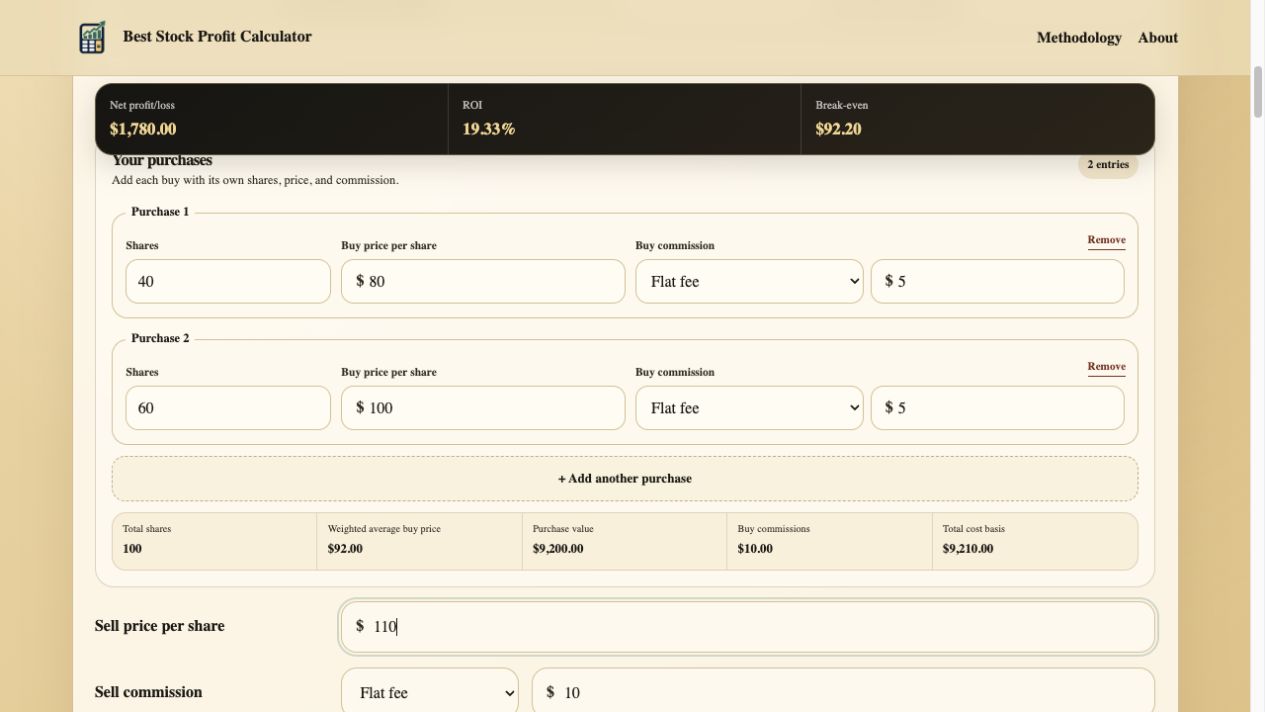
Enter the first purchase. Add its share quantity, execution price, and actual buy-side commission.
Add another purchase. Repeat the process for every buy that belongs to the position you want to evaluate.
Review the combined basis. The summary shows Total shares, Weighted average buy price, Purchase value, Buy commissions, and Total cost basis.
Model the exit. Enter a Sell price per share and Sell commission just as you would for one purchase.
Position math
Step 2: calculate the weighted average buy price
Do not average the two prices by adding them and dividing by two unless the share quantities are equal. Weight each price by the number of shares purchased at that price.
Find the first value
40 shares x $80 = $3,200
Find the second value
60 shares x $100 = $6,000
Add value and shares
$3,200 + $6,000 = $9,200; 40 + 60 = 100 shares
Divide value by shares
$9,200 / 100 = $92.00 per share
Add transaction fees
$5 + $5 = $10
Add value and fees
$9,200 + $10 = $9,210
Weighted average buy price in the calculator excludes buy commissions. Total cost basis includes them. Cost basis per share in this example is therefore $92.10, even though the weighted average execution price is $92.00.
| Purchase lot | Shares | Buy price per share | Purchase value | Buy commission | Total cost basis |
|---|---|---|---|---|---|
| Purchase 1 | 40 | $80 | $3,200 | $5 | $3,205 |
| Purchase 2 | 60 | $100 | $6,000 | $5 | $6,005 |
| Combined position | 100 | $92 weighted average | $9,200 | $10 | $9,210 |
Worked sale scenario
Step 3: calculate net stock profit and ROI
Continue the example with a Sell price per share of $110 and a flat $10 Sell commission. No dividends are included. The combined 100 shares produce an $11,000 Gross sale value and $10,990 in Net proceeds.
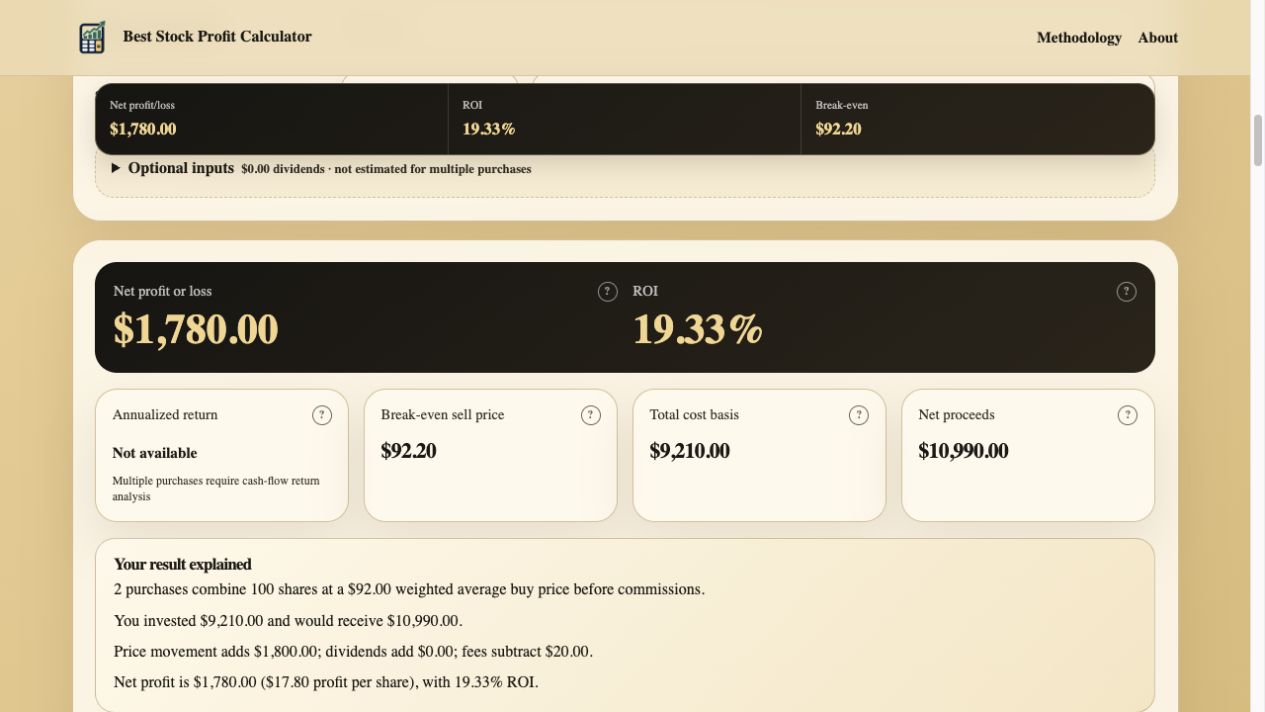
Net profit and ROI. The position earns $1,780 after both buy commissions and the sell commission, equal to 19.33% ROI.
Break-even sell price. A $92.20 sale price would recover the $9,210 Total cost basis plus the $10 Sell commission.
Total cost basis. The result retains the $9,200 Purchase value and $10 of buy-side commissions.
Plain-English explanation. The dynamic summary states the combined shares, weighted average price, proceeds, price gain, fees, and final result.
Complete result
Net profit is $1,780 and ROI is 19.33%
Gross sale value exceeds Purchase value by $1,800. Total fees are $20, leaving $1,780 after costs. ROI compares that result with the full $9,210 Total cost basis.
- Purchase value
- $9,200
- Buy commissions
- $10
- Total cost basis
- $9,210
- Gross sale value
- 100 x $110 = $11,000
- Net proceeds
- $11,000 - $10 = $10,990
- Net profit
- $10,990 - $9,210 = $1,780
- ROI
- $1,780 / $9,210 = 19.33%
Planning an exit
Use multiple purchases with a target sell price
The same combined position works in Find required sell price mode. If the target is $2,000 in Net profit and the expected Sell commission is $10, the sale must produce $11,220 before that fee. Dividing by 100 shares gives a Required sell price of $112.20.
A percentage Sell commission changes the denominator because the fee grows with Gross sale value. The calculator handles that adjustment automatically after the commission type is selected.
Different purchase dates
How XIRR measures annualized return for multiple purchases
One holding period cannot accurately describe capital added on several dates. Treating every dollar as if it had been invested on the first date can overstate or understate the yearly return. Instead, add a Purchase date to every entry and a Sale date to the current calculation. The calculator then estimates Annualized return with XIRR.
XIRR treats each Purchase value and Buy commission as a dated negative cash flow. Net proceeds from dated Previous sales and the current sale are positive cash flows. Dividends entered in the current scenario are included with the current sale. The result remains unavailable until all required dates are valid and chronological.
Profit per share remains a separate result because it divides Net profit or loss for the current modeled sale by Shares sold; see how to calculate profit per share for that per-share workflow.
Calculation scope
What the multiple-purchase calculation includes
Included
Separate share quantities, buy prices, flat or percentage buy commissions, a current modeled sell price, Previous sales with their own prices and commissions, and optional dividends.
Combined automatically
Total shares, Purchase value, Buy commissions, Weighted average buy price, and Total cost basis.
Partial sale support
Choose Partial sale to allocate shares using FIFO, LIFO, or Specific lots while preserving Shares remaining and Remaining cost basis.
Position history
Previous sales are applied sequentially before the current calculation. The calculator reports remaining shares and basis alongside cumulative realized proceeds and profit.
Stock split adjustment
One forward or reverse split ratio scales entered share quantities and per-share prices while preserving position value and fee amounts.
Taxes remain excluded
Lot selection changes the estimated realized basis, but the calculator does not calculate capital gains tax or replace brokerage records.
Selling fewer than the Total shares requires a separate cost basis allocation. Read How to Calculate Profit on a Partial Stock Sale for FIFO, LIFO, and specific-lot examples.
Before relying on the estimate
Common multiple-purchase calculation mistakes
Using a simple average
Weight each buy price by its share quantity. A simple average is correct only when every purchase contains the same number of shares.
Combining commissions incorrectly
Enter each buy fee with the matching purchase. Percentage fees are calculated from that purchase's value, not from the final combined position.
Mixing currencies
Keep every purchase, commission, dividend, and sale value in the same currency. The calculator does not perform FX conversion.
Confusing ROI with annualized return
ROI measures profit against Total cost basis without timing the separate cash flows. XIRR uses the date of each purchase and sale; missing or out-of-order dates prevent a valid annualized result.
Methodology and references
Cost basis and commissions remain visible
The calculator keeps Purchase value and Buy commissions separate so the weighted execution price can be checked without losing transaction costs. IRS basis guidance and Investor.gov fee education both reinforce the importance of retaining purchase costs and fees in investment records.
Ready to combine your own stock purchases?
Use the Stock Profit Calculator