
Quick answer
How do you calculate profit on a stock?
Multiply the number of shares by the sell price to find the gross sale value. Subtract the sell commission, add dividends, and then subtract the original purchase value plus the buy commission. The result is the net stock profit or loss.
A positive result is a profit. A negative result is a loss. To express the outcome as a percentage, divide Net profit or loss by Total cost basis and multiply by 100.
Calculator walkthrough
Step 1: enter the stock trade information
Open the stock profit calculator and keep the Calculate profit mode selected when you already know the actual or possible sell price. Enter all values for the same group of shares and in the same currency.
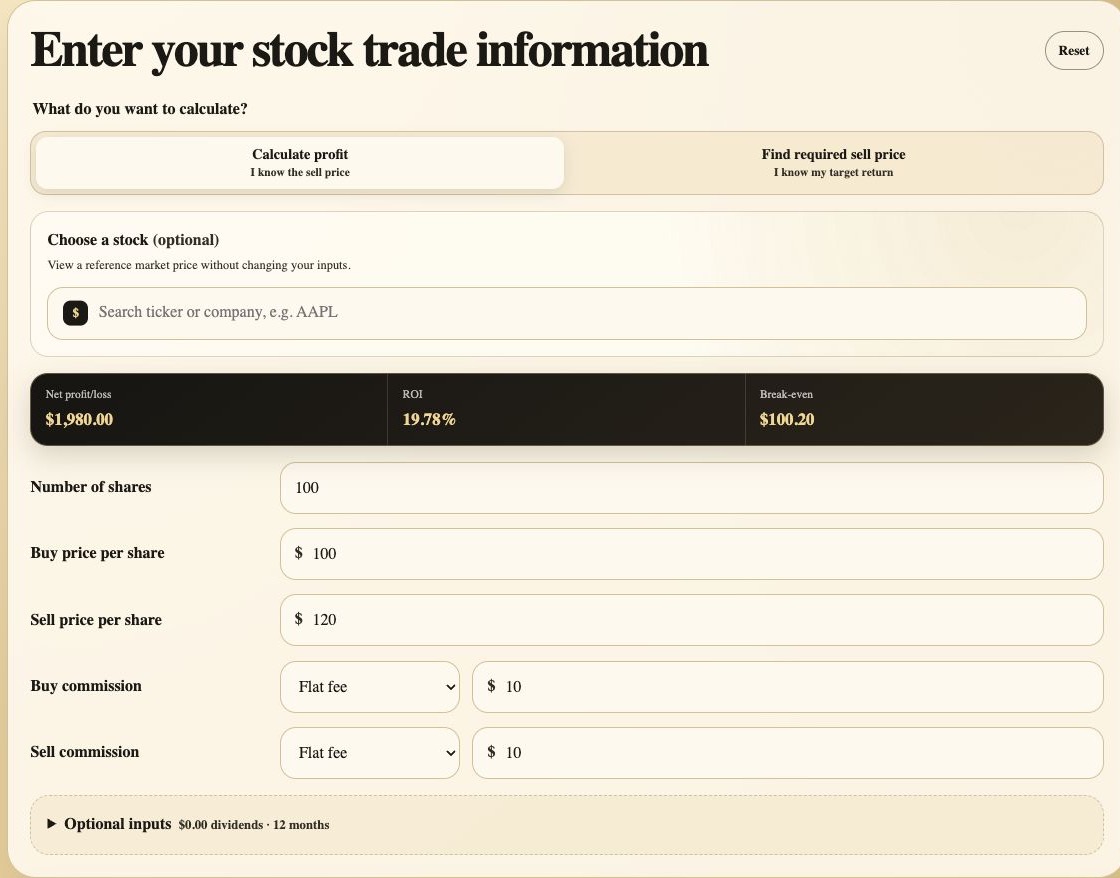
Choose the calculation mode. Use Calculate profit when a sell price is known. The second mode is for working backward from a target return.
Use the ticker only as a reference. Selecting a company shows market information but does not overwrite the buy or sell price entered in the calculator.
Enter the number of shares. Use only the shares included in the sale or scenario. The calculator also accepts fractional shares.
Enter buy and sell prices per share. Use the execution prices from a completed trade or a hypothetical sell price when planning an exit.
Add both commissions. Select Flat fee or Percent for each side. Enter zero if the broker charged no commission for that transaction.
Open Optional inputs when relevant. Add total cash dividends and either a holding period or exact dates. Dates let the calculator use XIRR for multiple dated cash flows.
For an ongoing position, open Previous sales and enter completed sales from oldest to newest before modeling the next sale. The calculator reduces the remaining shares and cost basis after each transaction. If a forward or reverse split makes historical quantities and prices difficult to compare, use Adjust for a stock split to normalize all entered lots and sales without changing their modeled value or fees.
Calculation sequence
Step 2: calculate cost basis and net proceeds
Purchase value
Number of shares x Buy price per share.
Total cost basis
Purchase value + Buy commission.
Gross sale value
Number of shares x Sell price per share.
Net proceeds
Gross sale value - Sell commission + Dividends.
Net profit or loss
Net proceeds - Total cost basis.
ROI
Net profit or loss / Total cost basis x 100.
Commission and other purchase costs can affect cost basis. For tax reporting, use the basis shown by your broker and the rules applicable to your situation rather than treating this educational estimate as a tax calculation. If the shares were bought through several orders, read how to calculate stock profit with multiple purchases.
Worked example
Step 3: calculate stock profit after commissions
Assume an investor buys 100 shares for $100 per share and later sells them for $120 per share. The broker charges a $10 flat commission on the purchase and another $10 on the sale. No dividends are included.
- Purchase value
- 100 x $100 = $10,000
- Total cost basis
- $10,000 + $10 = $10,010
- Gross sale value
- 100 x $120 = $12,000
- Net proceeds
- $12,000 - $10 = $11,990
- Net profit
- $11,990 - $10,010 = $1,980
- ROI
- $1,980 / $10,010 x 100 = 19.78%
| Calculator value | Input or result | Why it matters |
|---|---|---|
| Number of shares | 100 | Defines the size of the stock trade. |
| Buy price per share | $100 | Used to calculate Purchase value. |
| Sell price per share | $120 | Used to calculate Gross sale value. |
| Total fees | $20 | Reduces the final stock profit estimate. |
| Net profit or loss | $1,980 | The main result calculated by the tool. |
| ROI | 19.78% | Compares Net profit or loss with Total cost basis. |
Result walkthrough
Step 4: read the calculator results
Start with Net profit or loss and ROI, then use the supporting figures to verify how the calculator reached the result.
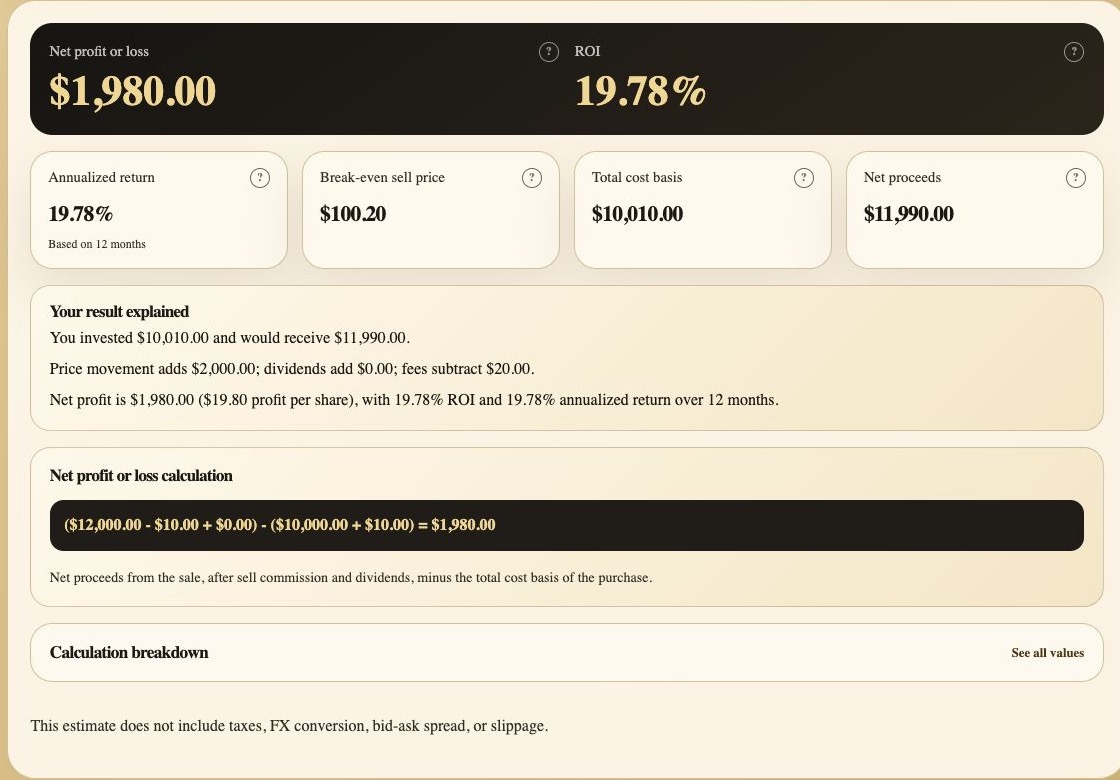
Net profit or loss. The amount remaining after the complete purchase cost and sell-side fee, with dividends added.
ROI. Net profit expressed as a percentage of Total cost basis.
Supporting metrics. Annualized return, Break-even sell price, Total cost basis, Net proceeds, and Profit at different sell prices provide context for the headline result. XIRR appears when all cash flows in a multi-transaction position have valid dates.
Your result explained. A sentence-based summary separates price movement, dividends, and fees so the result is easier to interpret.
Calculation formula. The substituted values show exactly how Net profit or loss was calculated.
Calculation breakdown. Open this row to inspect every intermediate value used by the calculator.
Position sale history separates cumulative realized results from the current modeled sale. The calculator also keeps a local draft in this browser and can generate a share link that reproduces the entered scenario in another browser.
Second calculator mode
How to find the sell price for a target profit
Choose Find required sell price when the desired outcome is known but the exit price is not. Enter the shares, buy price, commissions, and either a target dollar profit or target ROI. The calculator solves for the required sell price without changing the market-price reference.
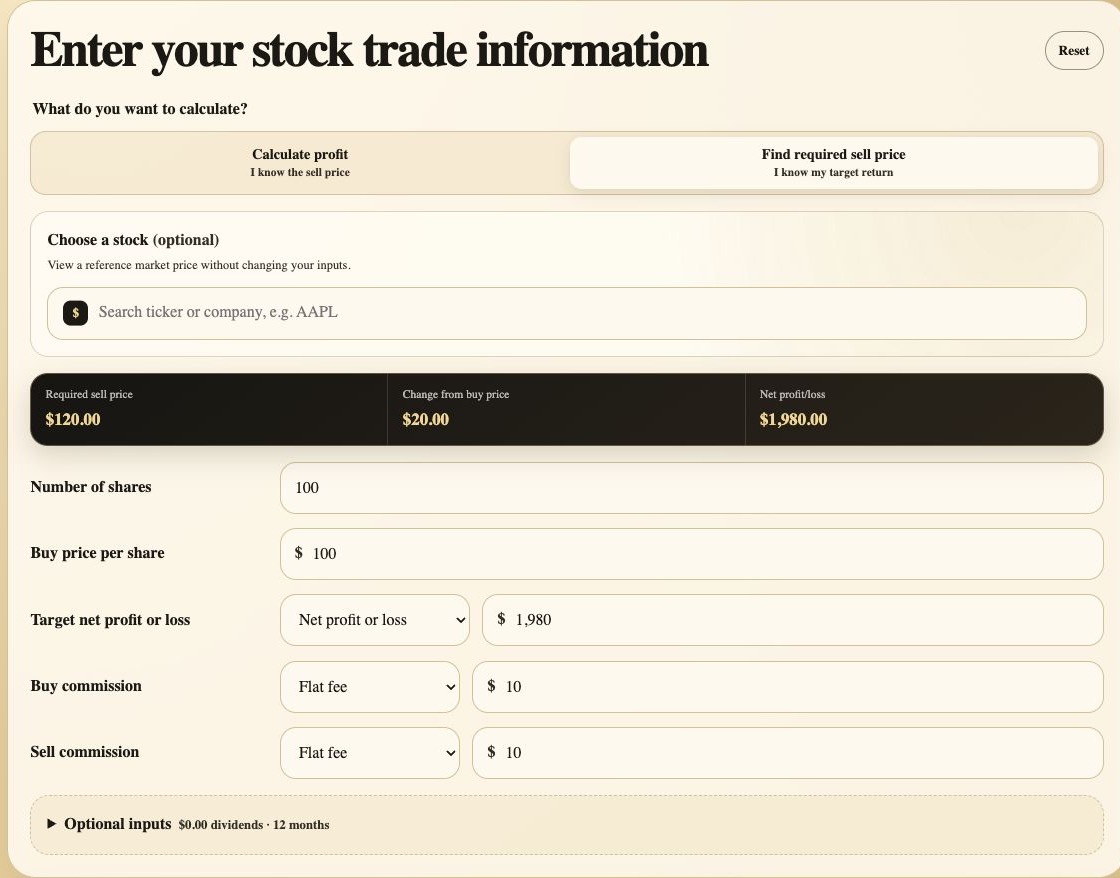
Switch modes. Select Find required sell price before entering the target.
Choose the target type. Enter Net profit or loss in dollars, or switch the selector to Return on investment and enter a percentage.
Read the required price. The summary reports the sell price and price change needed to reach the target after the entered fees and dividends.
Before relying on the estimate
Accuracy checks and common mistakes
Use the correct cost basis
If shares were purchased at different prices, use the basis for the specific shares being modeled or an appropriate weighted average. Do not mix the cost of one tax lot with the sale of another.
Include both sides of the trade
A buy commission increases Total cost basis, while a sell commission reduces Net proceeds. Omitting either fee can overstate profit and ROI.
Match shares and dividends
Include only dividends attributable to the shares and holding period used in the calculation.
Separate estimates from tax results
This calculator does not determine capital-gains tax, wash-sale adjustments, currency conversion, spread, slippage, or margin interest.
Methodology and references
Why fees and cost basis matter
Investor.gov explains that investment fees reduce returns and encourages investors to consider the total fees required to buy and sell an investment. IRS Publication 550 states that the basis of purchased stocks generally includes the purchase price plus purchase costs such as commissions. These concepts support the fee-aware calculation used here.
Ready to calculate your own result?
Use the Stock Profit Calculator